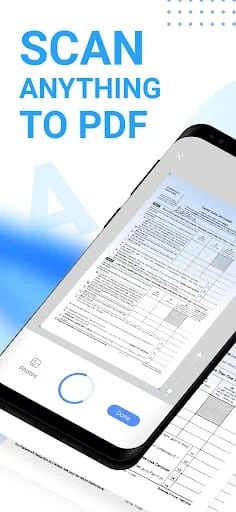
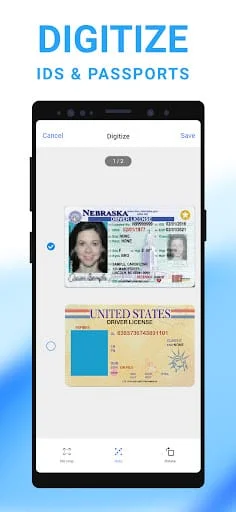
Mobile Scanner is a free app that transforms your phone into a digital office. With this app, you can scan any documents, photos, receipts, and books into clear PDFs and pictures. The app also features OCR technology that allows you to convert images into text and export searchable PDF files. The app is designed to be ultra-fast and precise, allowing you to scan anything with ease.
One of the key features of Mobile Scanner is its smart image optimizing capabilities. The app automatically detects and crops borders, and you can preview, crop, rotate, adjust color, and resize the PDF or photos you scan. You can also remove and edit imperfections, erase stains, marks, creases, and even handwriting. Additionally, you can sign your scans manually or add signatures for the document. The app generates perfect quality docs with advanced picture processing filters.
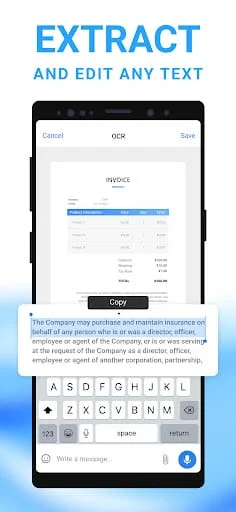
Another great feature of Mobile Scanner is its text extracting and editing capabilities. The app has built-in OCR technology that recognizes any text from your scans. You can edit the text as you want and export texts as TXT. You can also organize your files with custom folders and drag & drop to reorder. You can share documents by email attachments and upload scanned files to cloud services like Dropbox, Google Drive, and OneDrive. You can also print PDF files, such as contracts and invoices, right from the scanner app.
Finally, Mobile Scanner allows you to secure important documents by setting passwords to lock confidential documents and folders. You can keep all your personal information like contracts, bank cards, and tax documents secure. The app is available for free download, and you can contact the support team at
[email protected] for any questions or suggestions.
In summary, Mobile Scanner is a powerful app that allows you to scan any documents, photos, receipts, and books into clear PDFs and pictures. The app features OCR technology that allows you to convert images into text and export searchable PDF files. The app is designed to be ultra-fast and precise, and it also has smart image optimizing capabilities. Additionally, you can organize and share files, edit text, and secure important documents with passwords. The app is available for free download, and you can contact the support team for any questions or suggestions.