
About ComicScreen - PDF, ComicReader
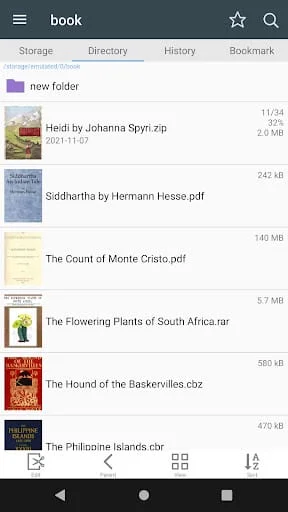
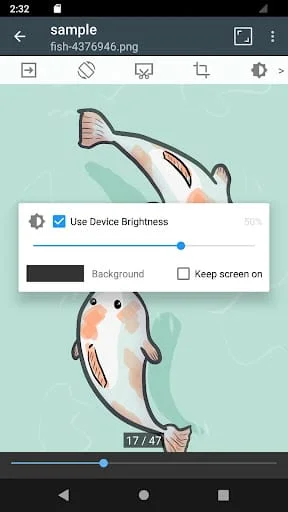
The application in question is designed to support a variety of compressed file formats, including zip, rar, cbz, cbr, and pdf. This versatility allows users to manage and access a wide range of documents and media types seamlessly. The inclusion of these formats means that users can easily open and view their favorite comics, eBooks, and other documents without needing to switch between different applications. The support for compressed files is particularly beneficial for users who often download large files or collections of images, as it allows for efficient storage and retrieval. Furthermore, the application is equipped to handle various image formats, such as jpg, png, gif, bmp, tiff, webp, and avif. This extensive support ensures that users can view their images in high quality, regardless of the format they are in.
In terms of functionality, the application boasts a comprehensive file and folder management system. Users can easily navigate through their files using the built-in folder and file explorer, which includes essential features such as search, rename, and delete options. This makes it easy to organize and manage files effectively. Additionally, the application supports USB OTG drives, allowing users to access files stored on external devices directly. For those who work with networked files, the application also supports SMB and FTP protocols, enabling users to connect to network drives and access files remotely. The drag-and-drop feature enhances usability, allowing users to move files and folders effortlessly. Users can also view a list of images within folders, making it easier to locate specific files quickly.
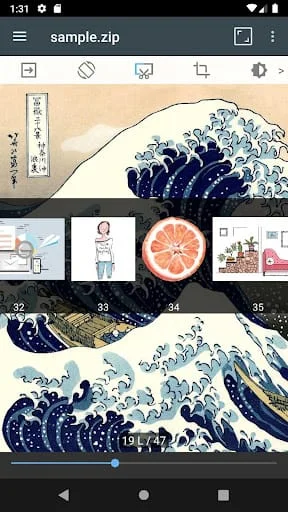
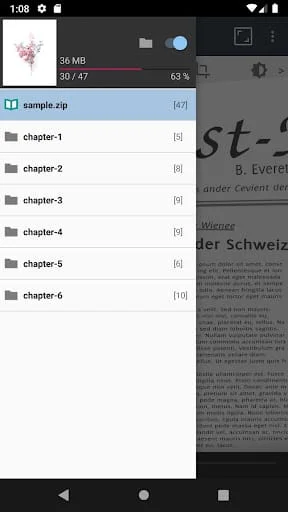
The application is designed with user experience in mind, offering smooth image scrolling and a bookmark preview feature that allows users to mark their favorite pages for easy access later. For compressed files, users can quickly view zip files without needing to extract them fully, which saves time and effort. The application supports various viewing modes, including horizontal view mode for two pages and vertical view mode for a single page, catering to different reading preferences. Automatic page resorting and the ability to cut margins enhance the reading experience, making it more enjoyable. Users can navigate through pages using hardware keys, providing a tactile and responsive way to move through content. Additionally, the application features a chapter drawer for easy navigation within zip files that contain folders, further simplifying the management and display of images and documents. Overall, this application is a powerful tool for anyone looking to manage and view compressed files and images efficiently.
Screenshots
Version History
Ratings & Reviews
4.8
1,472 reviews
5
87%
4
9%
3
1%
2
0%
1
3%
Similar Apps






App Information
- Package Name
- com.viewer.comicscreen
- Version
- V2247
- Size
- 17.82 MB
- Requires Android
- Varies with device
- Content Rating
- Everyone
- Last Updated
- Jun 29, 2023
- Tags
-
files comicreader comicscreen
APK files are Android package files. Please ensure you download from trusted sources only.